


Storage Clean - Quick & Secure
3.5100.00 Reviews
App Specs
- Version
- 1.0.38
- Updated On
- License
- Free
- Downloads
- 1,000,000+
- Developer
- HLIMATE INNOVATIONS PRIVATE LIMITED
- Categories
- Productivity
- Platform
- Android
Screenshots

 Analysis by AppCompare
I tend to be cautious with phone-cleaning apps. A tool that scans storage, handles browsing traces, or offers app locks may touch personal parts of a device, so convenience alone is not enough to earn my trust. Storage Clean - Quick & Secure is a free productivity app from HLIMATE INNOVATIONS PRIVATE LIMITED, with a 3.7 average from 721 ratings and over 500,000 installs. That makes it a widely tried option, but I would still approach its security and cleanup tools as choices to review rather than buttons to press automatically.
What trust looks like in day-to-day use
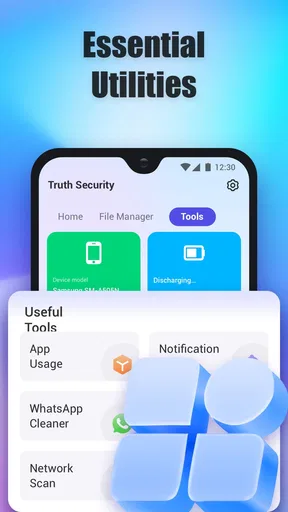
The app’s stated focus spans storage cleanup, cache protection, malware scanning, and locking apps with a PIN. Those jobs involve different kinds of access and different levels of sensitivity. Cleaning temporary files is not the same as locking a messaging app, so I would consider each function on its own merits instead of treating a single “secure” label as proof that every part works the same way.
When I install a utility like this, I look for clear prompts at the moment a feature needs access, a plain explanation of what that access enables, and a way to back out without losing my place. I also check whether a scan presents items for review before removal. That pause matters: a cache file may be disposable, while a photo, download, or app-related file may be something I meant to keep. The safest cleanup is the one where I understand the choice before confirming it.
Controls worth checking before a scan
A malware scan and a PIN lock can sound reassuring, but they serve different purposes. A scan is a check; it is not a substitute for keeping Android updated or being careful with unfamiliar files. An app lock can add a barrier when someone borrows your phone, but it does not replace the device’s own screen lock. I would set up either feature only after reading its on-screen instructions and checking what choices the app offers.
For a first cleanup, I’d take a conservative route: open the results, inspect the categories, and remove only items I recognize as safe to clear. I would avoid selecting everything just because the app labels it unnecessary. If the app presents a before-and-after storage view, that can help me judge whether a scan addressed the problem I had, rather than turning cleanup into a routine without a reason.
First Impressions and Features
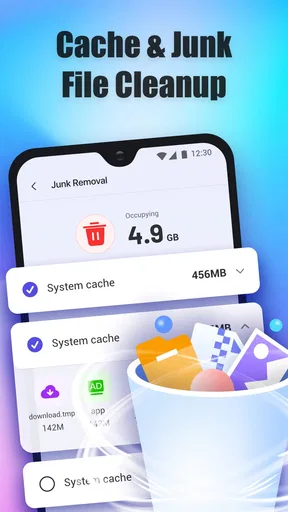
Installing Storage Clean - Quick & Secure was a breeze. The app interface is clean and intuitive, which is always a plus in my book. You’re greeted with a dashboard that shows your current storage usage, and it’s incredibly satisfying to see those numbers drop after a quick scan.
The app offers a variety of features aimed at keeping your device clutter-free. There’s the standard junk file cleanup, which sifts through your phone to eliminate unnecessary files. But what really caught my attention was the duplicate photo remover. If you’re anything like me, snapping multiple shots to get that perfect photo, this feature will save you a ton of space. It quickly identifies and suggests duplicates for deletion without you having to scroll endlessly through your gallery.
Worth Reading Before You Choose

EA SPORTS FC Mobile 26 Is a Bigger Football Game, but It Takes Time

Flipboard Shows What News Apps Must Do Beyond the Feed

Switching to Android Auto Means Rethinking Your Driving Routine

Google Calendar Makes a Crowded Week Easier to Manage

Ludo King Makes the Most of the Minutes Between Plans

Baby Panda World Brings Quick Play to Modern Phones, but Its Game Library Feels Busy
Security and Privacy
Now, we all know the importance of keeping our data secure. Storage Clean - Quick & Secure doesn’t just stop at tidying up; it ensures your privacy with its secure browsing feature. It deletes your browsing history and cache, which is perfect if you want to keep your online activities under wraps.
What’s even better is that the app doesn’t require unnecessary permissions. It's all about transparency, which is music to my ears in an age where data privacy is a hot topic. You can rest easy knowing that your personal info isn’t being shipped off to who-knows-where.
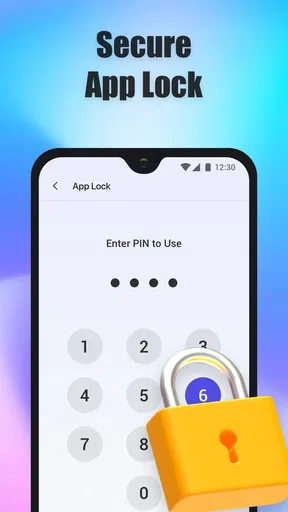
Privacy-focused tools work best when I know exactly what is being changed. Before clearing browsing records, I’d check which browser or activity the option covers and confirm that I am comfortable losing the saved traces. Clearing history can remove useful clues for revisiting a page, so I wouldn’t make it an automatic daily habit. Likewise, before using a PIN lock, I’d choose a code I can remember and test how I regain access if I mistype it; an extra barrier is only helpful if it doesn’t lock me out of my own routine.
There are a few practical limits to keep in mind. Android already includes storage settings that can show large files and app usage, and those built-in tools may be enough if I only need to find a video or clear one app’s cache. A dedicated cleaner makes more sense when I want several checks in one place, but it also asks me to review a wider set of suggestions. I would not expect a cache cleanup to transform an older phone’s speed, and I would treat any claimed battery improvement as something to assess in my own usage rather than a guaranteed result.
A safer routine for sensitive files
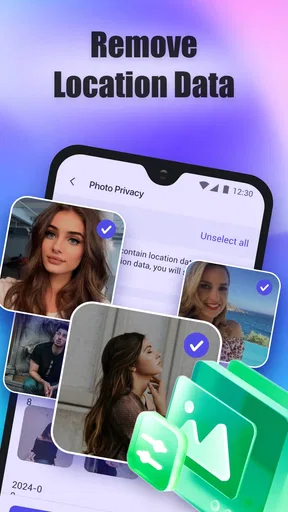
My most useful tip for duplicate-photo cleanup is to avoid doing it while rushing. Similar shots can look alike in a thumbnail while differing in focus, expression, or resolution. I’d review proposed matches in a quiet moment, keep the version I value, and leave uncertain groups untouched. If the photos matter, backing them up before a large cleanup is a sensible precaution; it gives me room to reconsider without relying on an app’s selection being perfect.
For a crowded phone, I’d start by identifying the actual pressure point. If storage is nearly full because of large videos, deleting cache may make little difference; sorting media and deciding what to archive is more direct. If repeated photos are the issue, the duplicate tool may save time, but I’d still check each suggested group. This distinction helps avoid the familiar disappointment of running a cleaner and seeing no meaningful change because the largest files were never the target.
The app is most appealing to someone who wants a single place to try cleanup, security scanning, and PIN-based app protection, and who is comfortable making deliberate decisions about files and access. I’d skip it if I only need occasional storage checks, prefer Android’s built-in controls, or do not want another utility involved in sensitive tasks. People who need dependable device protection should keep system updates and established security habits central; a cleaner’s scan is one layer to consider, not the whole plan.
Performance and Usability
The app is pretty lightweight, so it doesn’t hog your phone’s resources. This is crucial because the last thing you need is a cleaning app that slows down your device. During my testing, everything ran smoothly. The scans were quick, and I didn’t experience any lag or crashes.
One of the standout features is the battery optimizer. It provides insights into which apps are draining your battery and offers solutions to extend your device’s battery life. I found this particularly helpful during my busy days when I forget to charge my phone.
A realistic use for the app is a commute-day check-in: I notice a low-storage warning before leaving, open the cleaner, inspect the suggested items, and remove only files I recognize as disposable. Later, if I lend my phone to a family member, an app PIN may add a little privacy for selected apps. I would still keep a backup routine and my normal screen lock in place, because those safeguards address different risks. For battery concerns, I’d use the optimizer’s information as a prompt to inspect my habits, then compare how the phone behaves over a normal day instead of expecting a single adjustment to solve the problem.
One common question is whether I should run a cleaner on a schedule. I wouldn’t do that by default. If storage is comfortable and the phone behaves normally, repeated scans can create extra decisions without a clear benefit. I’d run a check when I have a concrete reason, such as a storage warning or a need to review duplicate pictures, and then inspect the results. Another practical question is whether clearing cache will remove personal files: I would read each item’s label carefully and avoid approving anything whose purpose I do not understand.
What to expect from a free utility
The app is free and rated for Everyone, which makes it easy to try, but I still recommend treating any cleaner as a tool rather than a caretaker for the whole phone. Its current version is 1.0.20, and it requires Android 7.0 or later. Those details matter if you are checking compatibility, but the more important decision is whether its combined tools fit your habits. Someone who likes reviewing suggestions may appreciate the convenience; someone who wants automatic, invisible maintenance may find the need to judge each action less appealing.
Compared with the usual alternatives, Storage Clean sits between Android’s built-in storage manager and using separate apps for each task. Built-in settings are often the simpler route for checking app storage or removing a particular download, while a gallery review gives more direct control over cherished photos. This app’s attraction is having cleanup and protective options gathered together. The trade-off is that a broader toolbox can make it tempting to grant access or run scans without thinking through each feature, so I’d use only the parts that solve a real problem.
Final Thoughts
To sum it all up, Storage Clean - Quick & Secure is a solid app for anyone looking to free up storage space and enhance their device’s performance. Its ease of use, coupled with effective cleaning features and a strong emphasis on security, make it a must-have for any smartphone user.
If you're tired of constantly getting those "storage full" notifications or just want to keep your device in tip-top shape, give this app a shot. You can download it from the link below and start your journey to a cleaner, faster phone today.
Happy cleaning!
My cautious verdict
I see the best case for this app as convenience: it brings several maintenance ideas into one place and gives a less technical user a starting point for looking at storage and privacy settings. Its 39 written reviews offer another perspective alongside the broader rating, but neither a rating nor an install count tells me how a particular scan will treat my own files. I’d make the first session a guided inspection, not a one-tap sweep.
For me, the deciding question is whether its visible choices feel clear enough for the task at hand. If I can understand what a scan proposes, keep control of what gets removed, and use the PIN or browsing options selectively, the app may be a useful companion. If an explanation feels vague or a permission request does not make sense for the feature I opened, I would stop there and use Android’s settings instead. That is a fair trade-off: a little less convenience in exchange for knowing exactly what I’m allowing.
My recommendation is therefore measured rather than automatic. Try it when you have a specific storage or privacy task, take time to review the options, and keep backups for irreplaceable photos and files. If you want a simple, occasional way to explore cleanup suggestions, it is worth considering. If you expect a cleaner to guarantee speed, battery life, or complete protection, I’d choose a more targeted solution and keep those expectations grounded.
Pros
- Efficient junk file removal.
- Boosts device performance noticeably.
- User-friendly interface design.
- Quick scan and clean process.
- Supports multiple file types.
Cons
- Occasional ads can be intrusive.
- Limited features in free version.
- Requires in-app purchases for extras.
- Not available on all devices.
- No cloud storage integration.
FAQs for Storage Clean - Quick & Secure
What features does Storage Clean - Quick & Secure offer?
Storage Clean - Quick & Secure offers a variety of features to optimize your device’s performance. It clears cache, removes junk files, and manages storage effectively. Additionally, it includes a secure file deletion option to ensure your sensitive data is permanently erased, enhancing privacy and freeing up space.
Is Storage Clean - Quick & Secure safe to use on my device?
Yes, Storage Clean - Quick & Secure is designed with user safety in mind. It uses advanced algorithms to identify and remove only unnecessary files without affecting important system data. Regular updates and security patches further ensure that the app remains safe and reliable for all users.
Can Storage Clean - Quick & Secure improve my device's performance?
Absolutely. By clearing cache and removing unnecessary files, Storage Clean - Quick & Secure can significantly enhance your device’s speed and responsiveness. It reduces lag by freeing up RAM and storage, allowing apps to run more smoothly and efficiently.
How often should I use Storage Clean - Quick & Secure?
The frequency of use depends on your device’s storage needs. For optimal performance, it’s recommended to run the app at least once a week. Regular cleaning helps maintain device speed and prevents clutter from accumulating, ensuring your device functions at its best.
Does Storage Clean - Quick & Secure support both Android and iOS devices?
Yes, Storage Clean - Quick & Secure is available for both Android and iOS platforms. The app is optimized for each operating system, providing tailored features that suit the specific needs of iOS and Android users, making it versatile and accessible.


